• Skip to content
  • Skip to footer
A Bright Clear Web

A Bright Clear Web

A Bright Clear Web - Simple, effective, accessible websites

  • Home
  • About
  • Websites
  • Writing
  • Learn
  • Blog
  • Contact
You are here: Home / Archives for WordPress

WordPress

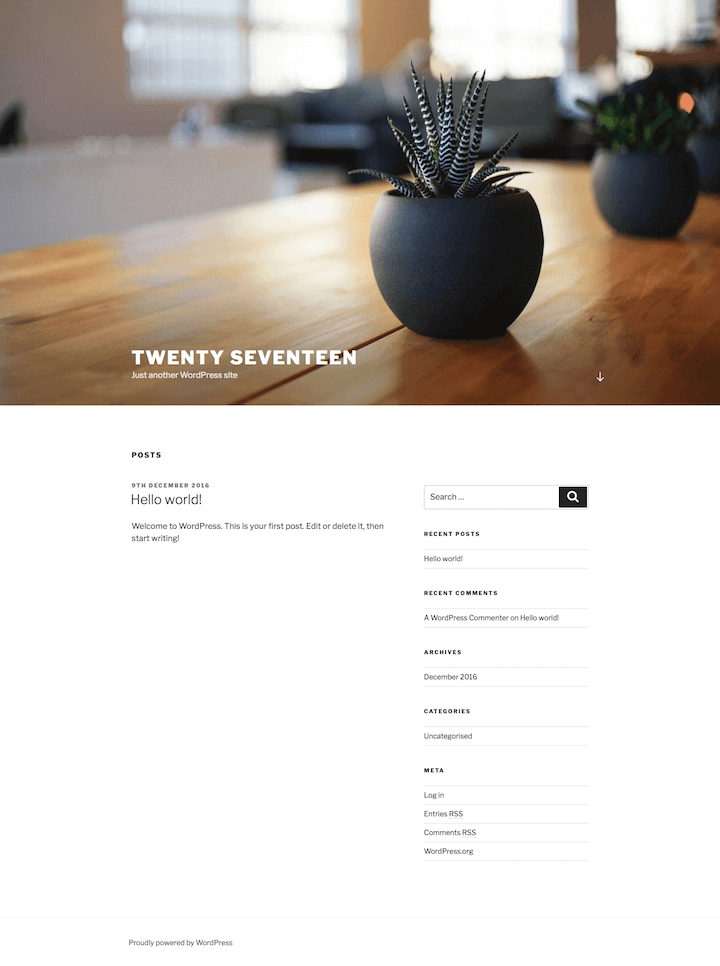
Is WordPress Twenty Seventeen a robust business theme?
Posted: December 16, 2016 Updated: January 4, 2018 by Claire Brotherton
22 Comments

Updated 28 May 2017. WordPress 4.7 has just been released with the new Twenty Seventeen theme. This theme is designed more for business than bloggers. I decided to take a deep dive into what it can do. Twenty Seventeen Design Twenty Seventeen was designed by Mel Choyce of Automattic. (WordPress.com user?  Twenty Seventeen became available on […]

Category: WordPress Tags: twenty seventeen

What’s New in WordPress 4.7? A First Look

Posted: December 9, 2016 Updated: January 4, 2018 by Claire Brotherton
1 Comment

What’s new in WordPress 4.7? WordPress 4.7 “Vaughan” was released earlier this week. It’s the last major update of the year from WordPress.org, and it gives us a new theme, new features and bug fixes. WordPress has now cemented its popularity as the top web CMS with over 27% of all sites running WordPress. The aim […]

Category: WordPress Tags: customizer, REST API, starter content

12 last minute checks when launching your WordPress site

Posted: December 2, 2016 Updated: January 4, 2018 by Claire Brotherton
9 Comments

So your WordPress site is built on a testing server and is ready to launch. But you still have some work to do before it’s ready and unleashed on the world. It’s not quite as simple as throwing up some files on the web and hoping for the best. Read through the steps below and […]

Category: WordPress Tags: caching, google analytics, google search console, launch, robots.txt

FotoPress – the all-in-one solution for perfect WordPress images?

Posted: November 18, 2016 Updated: July 13, 2018 by Claire Brotherton
5 Comments

Do you find searching for and adding photos to WordPress a pain? Are you frustrated by the lack of image editing tools within WordPress? Then FotoPress might be the answer to your prayers! It bills itself as “the Photoshop for WordPress.” It’s also a mini-Google for finding the perfect image. In this post, I’ll take you through […]

Category: WordPress Tags: creative commons, photo editing, Photoshop

How To Use Any Font With WordPress With Ease

Posted: October 21, 2016 Updated: February 18, 2020 by Claire Brotherton
5 Comments

A (brief) history of web typography Web designers used to be quite limited in font choice. It was recommended to use only web safe fonts – the small subset of fonts installed on both Windows and Mac computers. As Coffee Cup Software explained in their What is a web-safe font? post, that boiled down to only […]

Category: WordPress Tags: fonts, web fonts

How To Add Functions To Your WordPress Site Safely

Posted: October 14, 2016 Updated: May 3, 2018 by Claire Brotherton
3 Comments

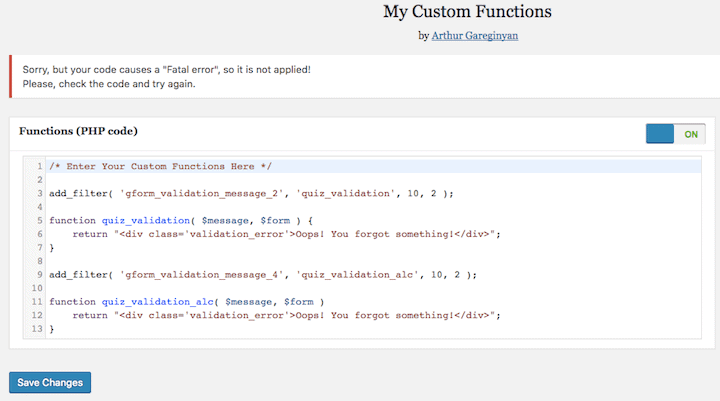
What is a theme’s functions.php file? The functions.php file is a key part of any WordPress theme. It’s where the code runs that can do things like: set up the theme add widget areas register theme fonts add support for the WordPress Customizer add menu support It’s an essential file, and susceptible to breakage. Sometimes we […]

Category: WordPress Tags: functions

What’s the best free plugin to make a WordPress photo collage?

Posted: October 7, 2016 Updated: January 4, 2018 by Claire Brotherton
14 Comments

Following a question from someone in the Content Marketing Academy Membership Community about making a WordPress photo collage, I decided to investigate what plugins were on offer to do the job. I tested out 5 plugins, all free from WordPress.org. They were: Easy Image Collage Jetpack (Tiled Galleries Module) Collage Gallery H5P Wow Mood Board […]

Category: WordPress Tags: collage

What is the best WordPress permalink structure for SEO?

Posted: September 9, 2016 Updated: May 14, 2018 by Claire Brotherton
30 Comments

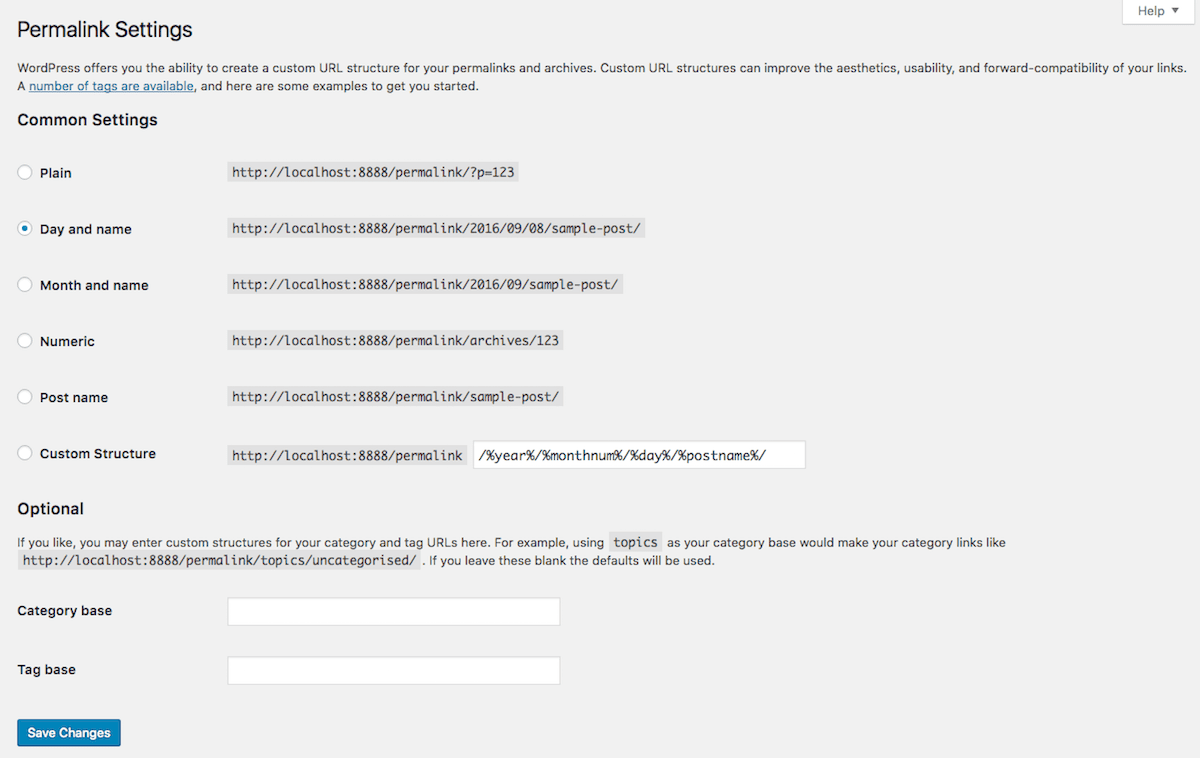
Updated 14 May 2018. When I install WordPress on a site, one of the first things I do is set the permalink structure. What are permalinks? A WordPress permalink is the URL generated for new posts or pages on your site. The name comes from a merging of the words “permanent link”. Permalinks always start […]

Category: WordPress Tags: 301 redirect, permalink, SEO

How To Add A New Twenty Sixteen Footer Menu

Posted: September 2, 2016 Updated: January 4, 2018 by Claire Brotherton
17 Comments

Twenty Sixteen is a popular WordPress theme, but it doesn’t have all the features that people want. One of the issues is with the Social Links menu in the footer: it’s only suitable to add links to social media profiles. Any other links added to this menu will show up as a strange symbol because […]

Category: WordPress Tags: menu, twenty sixteen

Want a simple & powerful way to show a grid display of posts?

Posted: August 12, 2016 Updated: January 4, 2018 by Claire Brotherton
5 Comments

A grid display of posts –  that sounds cool… I’ve reviewed WordPress blog layout plugins before and found them a little clunky. They let you show a grid display of posts in WordPress. Themes sometimes have this built-in, but often they don’t. I’ve now discovered a new plugin to do the job and think it’s […]

Category: WordPress Tags: blog, custom post type, plugin

  • « Go to Previous Page
  • Page 1
  • Interim pages omitted …
  • Page 5
  • Page 6
  • Page 7
  • Page 8
  • Page 9
  • Interim pages omitted …
  • Page 12
  • Go to Next Page »

Subscribe to Blog via Email

Enter your email address to subscribe to this blog and receive notifications of new posts by email. Read my privacy policy.

potted cactus and laptop with code

Footer

Categories

  • Accessibility
  • Blogging & Content Marketing
  • Business
  • Personal
  • Software & Tech
  • Websites
  • WordPress

Top Posts

  • How To Create WordPress Excerpts And Include Links In Them
  • How To Solve WordPress Image Alignment And Text-Wrap Problems
  • Improve Your Divi Website's Reach With Divi Accessibility
  • How To Set Up And Customize Twenty Nineteen Theme
  • Registering a Domain Name with GoDaddy - Step by Step

Let’s Be Social

  • E-mail
  • Facebook
  • LinkedIn
  • Twitter
Copyright © 2014 -2026 A Bright Clear Web
  • Privacy and cookies policy
  • Site map